Show the context
AI Act · Art. 13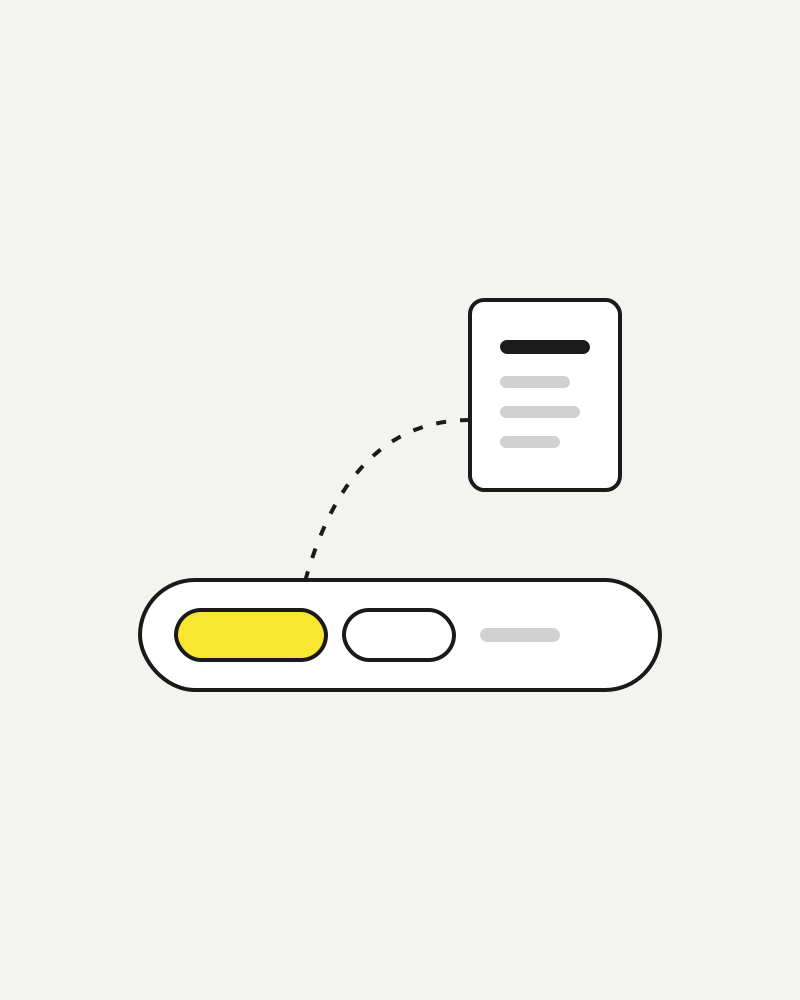
Problem
An AI answer depends on what the model was looking at. If people cannot see which files, sources or earlier messages shaped a reply, they cannot judge it, fix it, or trust it when it is right.
When to use
Any product where the model draws on more than the current message. Document chat, coding assistants, search with retrieval, agents that call tools. Mandatory when the context is picked automatically.
Anatomy
- Context chips attached to the input. One per source in use. Each can be removed. A chip the system added looks different from one the person added.
- Scope label. When nothing is pinned, say what the default scope is (“all your documents”, “this repository”).
- Per-step links for agents. Instead of a live feed of retrievals, a short list of steps, each linked to the context it used and what it produced. Nested sub-agents roll their tool calls up into one link.
- Citations in the answer that point back to the same sources, so the context view and the reply agree.
How this pattern has changed
Two years ago a single chip did the job. Ask LukeW, Luke Wroblewski’s assistant for his own writing, searched his articles and showed the sources used in a sidebar. Open one source and a small chip appeared in the question bar: now your questions apply only to this file. Remove the chip and the scope went back to everything (LukeW, Context Management UI in AI Products).
Then context got bigger. Coding assistants like Augment Code show chips for retrieval systems, active files, selected text and more. Once many different things are in context, the row eats space and the names get truncated, and the chip approach breaks down. Agents make it worse, because every tool call can fetch context in its own way. Earlier versions of Bench showed the context from each tool as it was created. The current version shows the agent’s process as condensed steps, each with a link to the context used in that step. For nested sub-agents, it shows the collective context from multiple tool calls in one link (all from the same July 2025 post).
The other direction is automatic context. Augment Code’s context engine picks what the model sees without asking, and LukeW reports it produces better output than manual selection. That raises the harder question for the interface: show every item the system pulled in, and overwhelm people, or keep it invisible and ask for trust (LukeW, More on Context Management in AI Products).
Examples
Product interfaces change every few months. Check the live product before you copy any of these.
- Ask LukeW: one chip in the question bar scopes the conversation to a single article or PDF; remove it to go back to the full library.
- Augment Code: chips for retrieval systems, active files and selected text, plus an automatic context engine that does not show up as a chip.
- Bench: the agent’s process as condensed steps with a context link in each step. Nested sub-agents get one link with the collective context of their tool calls.
- NotebookLM: lets you select which sources the model should use to answer a question (Google help).
The tension
Most people look at outputs, not process. LukeW’s observation is that people dig into timelines and context links only when something does not seem right. That is fine, as long as the link is there when they need it. The mistake is reading “people rarely click it” as “people don’t need it”. For a system that picks its own context, the view is the only thing that makes the answer checkable. Keep it small. Don’t remove it.
Regulation note
Article 13 of the EU AI Act requires providers of high-risk systems to give deployers the information they need to interpret the output, including specifications for the input data. It does not require telling end users. Showing context is how a team can carry that information into the interface, so the people using the system get the same ability to interpret an answer that the deployer was given on paper. For everything else it is simply what makes an answer checkable.
Sources
Do / Don’t
Do
- Show what is in context right now, next to the input, as removable chips or a short list.
- Let people add and remove context themselves, and show when the system added something on its own.
- For agents, collapse the work into steps and link each step to what it retrieved or produced.
- Keep a way to open the full list when it gets long. Truncated chip names are not transparency.
Don’t
- Don't hide automatic retrieval behind a clean input. If the answer used a file, say so.
- Don't show every fragment as a chip. Twenty chips communicate nothing. Group, then let people expand.
- Don't update the context view on every tool call while an agent runs. Summarize per step.
- Don't let context silently persist from one task to the next.
Regulation
The rule this pattern helps you meet. The pattern is one way to get there, not a legal guarantee.